
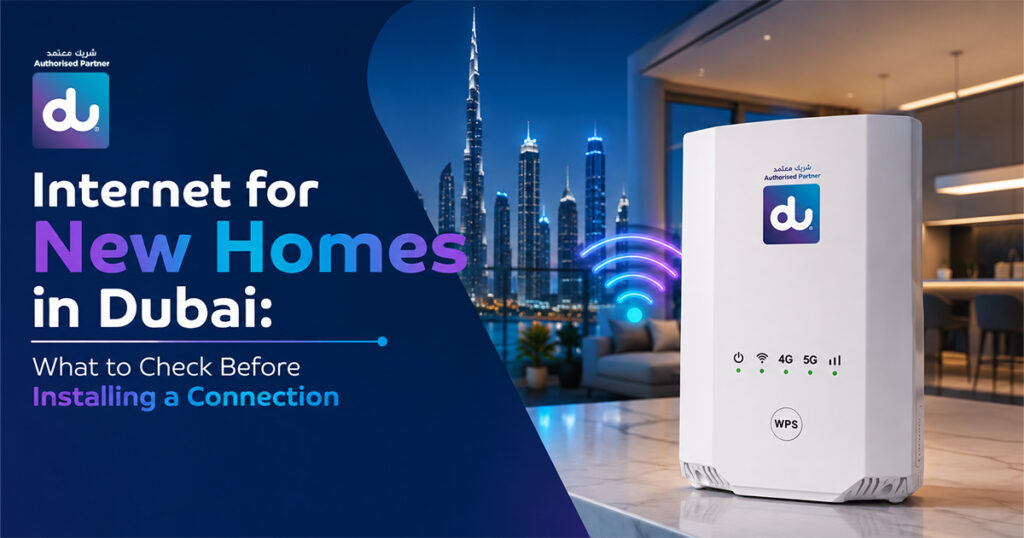
When it comes to setting up a home, you’ll want to move into your new place, but there’s no need to wait until the last minute for your internet connection to be up and running.
With everyone working remotely, streaming their favourite shows, going to online classes, and controlling the Smart home, you can’t do it without a reliable internet connection.
When installing an internet connection in a new home in Dubai, there are a few key things to consider. With the right preparation, you can prevent installation delays, weak WiFi signal strength, and the selection of a package unsuitable for your household.
Here are 7 major tasks you need to perform before you can install the internet in your new house.
1. Is Fibre Internet Available at Your New Home?
Checking fibre coverage should always be your first step before selecting an internet plan.
The internet is much faster, has less latency, and is more stable than traditional internet technologies. It’s a perfect solution for families who watch videos on their home computers on a regular basis, hold video conferences, play online games, or have several devices connected simultaneously.
Fibre is already available in many residential areas in Dubai, but it is dependent on your building and/or neighbourhood.
Ensure that fibre is available before ordering a package and minimise the risk of delays
2. How Much Internet Speed Does Your Household Actually Need?
The fastest internet package isn’t always the best choice.
Instead, choose a plan based on how your household uses the internet every day.
Consider questions like:
- How many people will use the internet?
- Does anyone work remotely?
- Do you stream movies or sports regularly?
- Are there gamers in the family?
- Will smart TVs, CCTV cameras, or other smart devices stay connected throughout the day?
A family with multiple users typically needs higher bandwidth than someone living alone.
Choosing the right speed ensures smooth performance without paying for features you may never use.
3. Where Should You Place Your Wi-Fi Router?
Router placement has a significant impact on your internet experience.
Even a high-speed internet connection can feel slow if the router is installed in the wrong location (Source: fixmywifi).
For better coverage, place your router:
- Near the centre of your home
- On an elevated surface
- Away from thick concrete walls
- Away from large metal appliances
- In an open space with minimal obstructions
If you’re moving into a large villa or a multi-storey property, a mesh Wi-Fi system may provide stronger and more consistent coverage than a single router.
Taking router placement into account before installation can help eliminate weak signal areas later.
4. Does Your Home’s Layout Affect Wi-Fi Coverage?
Yes. Your home’s design plays an important role in Wi-Fi performance.
Large homes, multiple floors, and thick walls can weaken wireless signals, creating areas with poor connectivity.
Before installation, think about:
- The number of rooms
- Number of floors
- Wall thickness
- Areas where you’ll use the internet most
Understanding your home’s layout allows you to discuss suitable Wi-Fi solutions with your provider before installation, helping you achieve better coverage throughout the property.
5. What Do You Need Before Booking Your Internet Installation?
Preparing everything in advance can make the installation process much smoother.
Most internet providers may ask you for:
- Emirates ID
- Contact details
- Property or tenancy information (where applicable)
- Preferred installation date
It’s also helpful to ensure that someone is available at home during the scheduled installation appointment.
Having these details ready can help your provider complete the setup more efficiently.
Internet Setup Checklist for New Homes in Dubai
Before scheduling your internet installation, use this quick checklist to make sure you’ve covered the essentials.
| What to Check | Why It Matters |
| Fibre Internet Availability | Helps you choose the fastest and most reliable connection available in your area. |
| Household Internet Usage | Ensures you select a plan that matches your daily online activities. |
| Wi-Fi Router Placement | Improves signal strength and reduces weak coverage areas. |
| Home Size & Layout | Determines whether you need additional Wi-Fi coverage or a mesh system. |
| Required Documents | Helps speed up the installation process and avoid delays. |
| Fibre vs 5G Internet | Allows you to choose the connection type that best suits your home and usage. |
| Internet Provider | Ensures reliable installation, customer support, and long-term service quality. |
6. Should You Choose Fibre or 5G Home Internet?
Both options have their advantages, but the right choice depends on your home’s connectivity and internet usage.
Wherever possible, fibre internet is likely to be the better choice. Fibre is perfect for smart homes, remote work, online gaming, and streaming due to its higher speeds, low latency, and fewer interruptions to the connection.
Fiber, however, is a good alternative if it is not available or if you want something faster to install if you are using 5G Home Internet. Ideal for general browsing, watching video streaming, and for daily household use without a lot of cabling.
Before making a decision, compare the available options based on your household’s internet habits rather than simply choosing the fastest advertised plan.
7. How Do You Choose the Right Internet Provider in Dubai?
A reliable internet provider can make the installation process much simpler and your overall experience much better.
When comparing providers, don’t focus on speed alone.
Instead, look for:
- Reliable internet packages
- Quick installation appointments
- Responsive customer support
- Flexible plans that suit your needs
- Assistance with activation and setup
Choosing an authorized provider also means you’ll receive accurate guidance on package selection, installation requirements, and after-sales support whenever you need assistance.
Common Mistakes to Avoid When Setting Up Internet in a New Home
Even with the right internet package, a few common mistakes can affect your overall experience.
Avoid these before scheduling your installation:
- Booking an internet plan without checking fibre availability.
- Choosing a package based only on speed.
- Installing the router behind furniture or inside cabinets.
- Ignoring your home’s size and Wi-Fi coverage requirements.
- Waiting until moving day to book your installation.
- Forgetting to prepare the required documents beforehand.
Taking a few extra minutes to plan can save you time and help you enjoy a smoother internet experience from the day you move in.
Set Up Your New Home Internet with DU Authorized Partner
Moving into a new house should be exciting and not stressful.
We help you choose the right home internet plan for your needs at DU Authorized Partner, making it easy to set up your home internet.
From choosing a package to ensuring your home internet installation is complete, our team is available to help you through every step of the way, whether you’re shopping for fibre internet or considering home internet options.
Conclusion!
Installing an internet connection for a new home in Dubai involves more than simply selecting a package.
Fiber availability checks, knowledge of your home Internet usage, mapping and planning your coverage, documentation preparation, and selecting a trusted provider all help to make fiber installation easier.
These are simple things to do before you make your connection and will make for such a pleasant experience when you move in. You’ll get the internet up and running faster, you’ll have a better signal, and you’ll have a great Internet experience.