
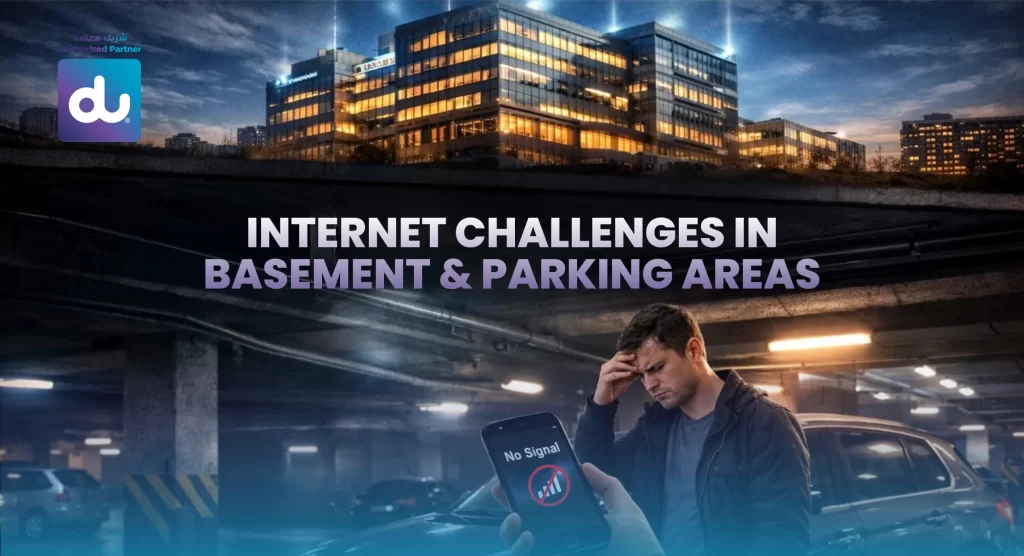
Parking areas and basements are important structural features of residential and commercial buildings in the UAE. They accommodate vehicles, security systems, staff rooms, EV charging points, basement offices, and storage required. However, the problem of poor connectivity is, practically, common to everyone. Be it an internet signal in the basement drop, a WiFi drop in the basement, internet issues in the parking area, or a drop in cell phone signal in the basement, these places are almost always a digital dead zone. This guide discusses the causes behind the existence of these issues, their effects and how these issues can finally be solved through modern solutions, particularly with the assistance of du and du authorized resellers in the UAE.
1. Why Connectivity Fails in Basements & Parking Areas
The initial and most crucial reason why the internet cannot work in basements is structural interference. Bases are normally surrounded by several layers of thick concrete, steel reinforcement, and foundations, which do not permit radio frequency transmission. Although your router may be on the upper floor and be transmitting good signals, they are significantly reduced when trying to penetrate heavy construction materials. This is the reason why the internet signal in the basement is detected instantly by people as being much weaker than in the high-rise buildings.
The distance between the signal source and the basement is another huge burden. Routers can be placed in the living rooms, bedrooms, or even offices, which are at higher levels. The signal has already traversed a number of walls and floors by the time it gets to the underground level and is therefore too weak to ensure stable connectivity. On the same note, mobile network towers are set to cover areas above the ground, and this translates that underground areas are not in the main coverage area and which is why they are causing a poor signal of the mobile network in the basement.
There is a lot to do with interference as well. Metal buildings, automobiles, equipment, gates, and concrete beams are crowded in the parking lots. All these reflect or absorb signals, thus increasing the internet issues in the parking area even more. The behaviour of wireless signals is unpredictable as cars travel, sensors start working, and concrete surfaces change their temperature.
Lastly, many devices are competing for bandwidth in basements. Bands of cameras, electric vehicle chargers, gate sensors, parking and management devices, wireless payment kiosks, and staff devices need bandwidth. This, in the absence of the right infrastructure, creates congestion, unstable.
2. Real-Life Impact on Safety, Productivity & Daily Convenience
WiFi not working in the basement is not merely an inconvenience; it poses actual challenges. Among the largest impacts is on security. The contemporary parking buildings are based on digital surveillance cameras, access control devices, ANPR (automatic number plate recognition) and cloud-based surveillance. When the network is erratic, camera feeds will lock, alerts will not be delivered, and remote viewing can hardly be achieved. This is a significant safety concern in high-occupancy buildings.
Connectivity is also required in the digital parking systems. People who use mobile applications to unlock gates, read QR codes, or pay for parking also tend to be stuck with internet connection problems in the parking space. It causes time wastage, frustration, and occasionally requires manual handling by security personnel.
Even such simple daily life activities are not spared. Individuals who walk to or from their vehicles usually have to make phone calls, check navigation, answer messages, or check ride-hailing apps. Poor network in the basement interferes with telephone use and leaves one out of touch when needed the most, particularly during emergencies.
Maintenance teams, security personnel, and staff who manage the building are also commonly kept in basements. Their devices need to have quality internet in terms of reporting, communication, and monitoring systems. The internet signal in the basement is poor, and this hampers productivity and inefficiencies in operations.
3. The Most Common Basement Internet Problems Explained
WiFi not working in the basement is in various forms but mostly presents as slow connectivity, dropped connections, or a full loss of signal. The instability is usually observed when a user notices that apps take ages to open, a browser crashes, and a device switches between WiFi and mobile data continuously.
When loss of WiFi in the basement is an ordinary occurrence, and devices lose network regularly or do not connect with the router. Intelligent devices such as EV chargers, security cameras, smart devices, and smart meters crash without notice. Parking area: Internet problems in the parking area frequently impact on payment system, boom barriers, ticket machines, and ANPR cameras and cause a breakdown in operations.
Mobile networks also do not work the same way underground. Connection becomes erratic, and phone calls are lost in the middle of the conversation, and mobile data ceases to operate. This poor mobile signal in basement issue is especially prevalent in the high-rise buildings in the UAE with deep parking levels. This is coupled with weak WiFi, and thus, users are in a totally disconnected zone.
4. Diagnosing Weak Signals the Smart Way
The first step in diagnosing the problem begins by testing your connection performance. Making mobile speed tests at various positions in the basement assists in identifying the areas around which the problem is localised or the entire building is the problem. Signal mapping apps are also useful, as they display heatmaps of WiFi dead zones throughout the basement.
With device logs and camera network reports, inspection can reveal the frequency of system disconnection. This information is important in selecting the appropriate solution. Understanding whether the problem is caused by the WiFi range, structural interference, or even by blocking the mobile networks will assist you in determining whether you will require WiFi extenders, mesh systems, signal boosters, or even dedicated access points.
5. Practical Ways to Improve Connectivity in Basements
Modern solutions can easily enhance the internet in the basement. The main router could be repositioned as one of the first steps. This can be achieved by putting it nearer to the staircases or ducts that lead to the basement in a downwards direction, where sometimes the internet signal of the basement is greatly enhanced with no extra equipment needed. Even minimal alteration in elevations or minimising the surrounding impediments will count.
Mesh WiFi is one of the most useful solutions in modern times. A mesh network places more than one signal node over the building, instead of using only one router, which guarantees a smooth flow of handoff between the signals. One mesh node placed close to the basement or even inside the basement can usually eradicate the problem of unavailable WiFi in the basement.
In office areas or big apartments, separate entrance doors are desirable. They are Ethernet-linked devices which serve as WiFi broadcasting units and are installed directly in a basement or a parking area. As they get wired stable backhaul, it is the best and most stable way to have underground internet connectivity, particularly where CCTV, ANPR systems and smart parking systems are to be installed.
There is also a significant role played by cellular signal boosters. These gadgets receive the outdoor mobile network signals and enhance them in the underground area, eliminating the poor mobile signal in the basement challenge both in data and voice calls. Boosters are essential in enhancing reliability to visitors, staff and emergency communication.
To other users, wireless broadband proves to be the best remedy. The du Wireless 4G/5G routers can easily provide penetration in suburbs where fibre signals do not penetrate well. This can be particularly useful in the case of parking attendants, offices of basement guards, or standalone IoT.
6. Why Standard Home Broadband Isn’t Enough for Basements
The most common misconception is that when one upgrades to a higher internet plan, the problem of connectivity in the basement will be resolved. As a matter of fact, it is not often a bandwidth problem, but it is physics. Even the most lightweight plan cannot be propelled to break through concrete and steel with a normal router. The basement areas need other equipment, including mesh nodes or access points or signal boosters, to compensate for the structural difference between floors.
This knowledge will save users money on plan upgrades and instead inject the money at the source of need: infrastructure.
7. How du Helps Solve Underground Connectivity Problems
du is a leading telecom company in the UAE that has a high level of country coverage and the trustworthiness of broadband services. Their 5G and fibre network is designed in a manner that it delivers stable connections even in problematic areas. du provides equipment like a WiFi 6 router, systems compatible with mesh, and high-powered wireless plans that will increase the basement coverage by far.
The use of du authorized resellers will provide the customers with expert advice on how to deploy the right hardware and in the right locations. These resellers also provide support services in installations, on-site evaluation services, and made-to-order services to buildings with severe signal congestion. The problem of the internet in the parking lot or the complete absence of underground internet services, in any case, makes the solutions of DU one of the safest in the area.
8. Best du Plans for Stronger Basement Signals
du Home Wireless Broadband is the best alternative in coverage of the basement. It is frequently more penetrative underground since it uses 4G/5G as opposed to wired fibre. It is best suited to the basement rooms, security offices, and areas with poor signal that traditional routers fail to achieve.
The Fibre Home Internet plans of du have a very high speed, and the routers are compatible with mesh WiFi systems. Fibre plans are the most consistent in the long-term solution to residential and commercial properties when coupled with other access points that have been installed by du authorized resellers.
9. Boosting Mobile Signal Strength in Basements
Where WiFi solutions are implemented to administer the internet, mobile calling will require specific support. Mobile signal boosters that have small cells can boost the signal of the mobile and increase the coverage of the signal in places where the mobile signal is weak, in basements. The WiFi calling will be a good substitute where the boosters have been limited, and the person will be able to make a call based on a strong WiFi connection instead of the towers on the mobile phone.
10. Planning WiFi Deployment for Underground Areas
The progressive implementation is a smooth process. Firstly, ensure the dead spots of the basement are checked and check the WiFi and mobile signal. The second step is to choose the appropriate du plan based on whether the use of wired solutions would be more suitable or the use of wireless solutions would be more suitable. Install mesh nodes or access points of the plant at key places of coverage. Add WiFi calls or cellular boosters where there is an issue with mobile connection. Finally, test the installation under real working conditions in order to operate easily.
11. Future-Proofing Connectivity in Basements
The future of WiFi connectivity is bright, even underground, as the developments are rapid in WiFi 6E, WiFi 7 and the enhancement of 5G. Parking will increasingly depend on Internet of Things devices, smart cameras and systems. In the case of buildings being invested with contemporary infrastructure, the connectivity, which is being experienced, is more dependable, secure and can be further extended in future.
Conclusion
There is no necessity that basements and parking lots are connectivity dead zones. So, the problem of internet signal in the basement, getting rid of WiFi in the basement, solution to the problem of internet in the parking area and weak cell phone signal in the basement will never be solved unless one is using the correct mix of equipment, location, and network planning. By collaborating with a reputable telecommunications operator like du – and especially collaborating with du authorized resellers – individuals and companies will be in a position to enjoy quality, stable underground internet connectivity that will potentially allow safety, convenience, and effective digital performance in 2025 and beyond.